
How to Build an AI Chatbot for Business in 2026: Features, Cost, Tech Stack & Development Process
- admin
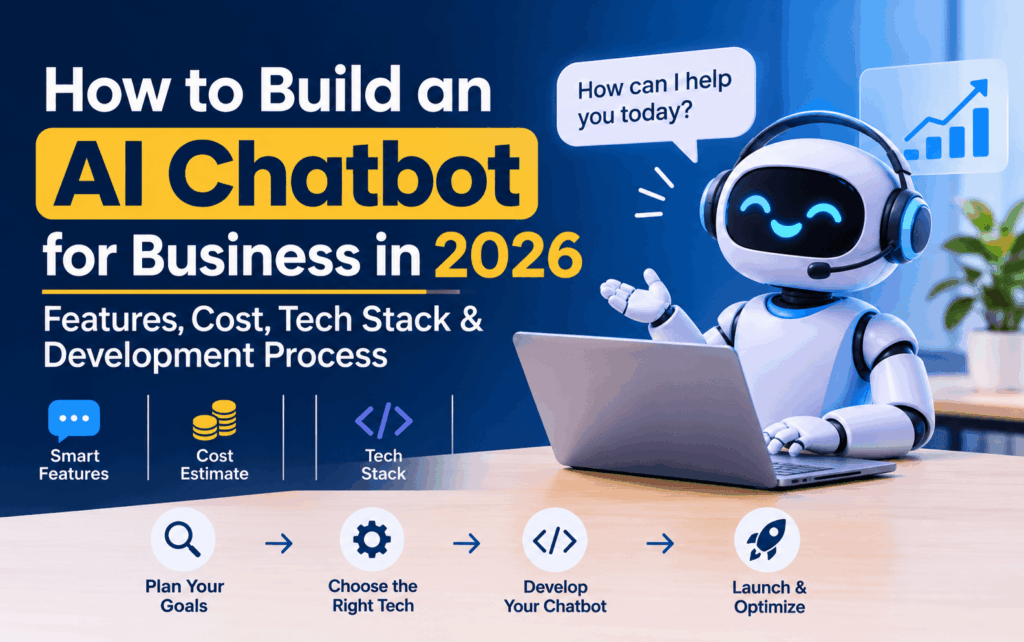
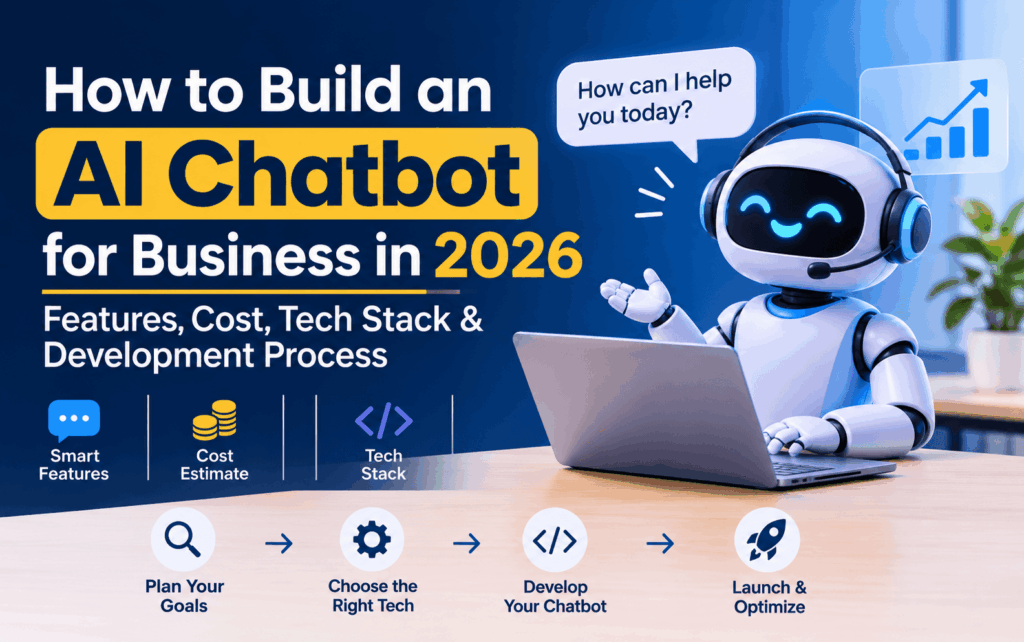
An AI chatbot helps businesses automate customer support, answer questions, generate leads, recommend products, and manage repetitive tasks through intelligent conversations. In 2026, businesses can build AI chatbots using large language models (LLMs), Natural Language Processing (NLP), Retrieval-Augmented Generation (RAG), APIs, and cloud infrastructure.
However, building an AI chatbot that genuinely helps a business requires more than connecting an AI model to a website. It needs reliable business data, a suitable technology stack, secure integrations, accurate responses, and a well-planned development process.
For example, an e-commerce chatbot should do more than answer product questions. It should be able to recommend relevant products, retrieve order information, explain return policies, and connect customers with support representatives when necessary.
Quick answer: How do you build an AI chatbot for business?
To build an AI chatbot for business in 2026:
- Identify the business problem and chatbot requirements.
- Select the chatbot type and AI model.
- Prepare business documents and knowledge sources.
- Choose a technology stack such as Python, Node.js, an LLM API, and a suitable database.
- Develop the chatbot interface and backend.
- Implement RAG, API integrations, and conversation management where required.
- Test accuracy, security, and performance.
- Deploy the chatbot and monitor its results.
A basic chatbot may take 2–4 weeks to develop, while a more advanced solution with RAG, multiple integrations, and enterprise features can take several months. Development costs depend on functionality, architecture, integrations, and infrastructure.
Planning to build an AI chatbot for your business?
If you need a chatbot that can answer customer questions, connect with your CRM, retrieve information from company documents, or automate business workflows, the first step is choosing the right development approach.
Digital Brain Media provides AI development services for businesses exploring custom AI solutions. You can discuss your chatbot requirements with the development team to understand the possible architecture, features, timeline, and budget before starting development.
This guide explains everything you need to make that decision, including chatbot types, essential features, technology stack, development steps, estimated costs, real-world applications, and common challenges.
What Is an AI Chatbot for Business?
An AI chatbot for business is a software application that uses artificial intelligence to understand user questions and provide relevant responses through websites, mobile applications, messaging platforms, or other digital channels.
Traditional chatbots generally follow predefined rules and decision paths. Modern AI chatbots can understand natural language, interpret different ways of asking the same question, maintain conversational context, and retrieve information from connected business systems.
For example, consider an online retail company.
A customer may ask:
- Where is my order?
- Is this product available in another size?
- What is your return policy?
- Can you recommend something within my budget?
- How can I speak with customer support?
An AI chatbot can understand these questions, retrieve relevant product or policy information, and access order details through an authorised API.
The same technology can help educational institutions answer admission questions, healthcare providers manage appointment enquiries, and real estate companies qualify property leads.
How Does an AI Business Chatbot Work?
An AI chatbot typically follows a sequence of steps to understand a message and generate an appropriate response.
- User input: A customer enters a question through a website, mobile application, or messaging platform.
- Intent understanding: The system interprets the message and identifies what the user wants.
- Context retrieval: The chatbot retrieves relevant information from its knowledge base or connected business applications.
- AI processing: The language model uses the available information and instructions to generate a response.
- Action execution: If the request requires an operation, the chatbot can call an authorised API or predefined business function.
- Response delivery: The system displays the answer and maintains relevant conversation context.
For example, when someone asks about an order, the chatbot should not guess the delivery date. It should verify the customer, retrieve the actual order status, and display the information returned by the business system.
This combination of AI, business data, and controlled integrations makes a chatbot useful beyond answering general questions.
Why Should Businesses Build an AI Chatbot in 2026?
Customers expect businesses to provide convenient communication, quick answers, and consistent support across digital channels.
An AI chatbot can help businesses meet these expectations while reducing repetitive work for employees.
Here are six practical business benefits.
1. Provide Customer Support Beyond Business Hours
Customers may visit a website at any time, including outside normal working hours.
A chatbot can answer frequently asked questions about products, services, delivery, pricing, and company policies without requiring an employee to respond to every enquiry.
For complicated issues, it should offer an option to connect with a human representative.
2. Generate and Qualify Business Leads
A chatbot can ask website visitors about their requirements, budget, location, preferred service, and project timeline.
For example, a software development company can use a chatbot to understand whether a visitor needs a mobile application, an e-commerce platform, or custom business software.
The chatbot can then send the enquiry to the appropriate sales representative.
3. Automate Repetitive Business Tasks
Employees often spend considerable time answering similar questions, retrieving basic information, and creating routine support tickets.
A properly integrated chatbot can automate suitable tasks and allow employees to focus on more complex work.
4. Improve Product and Service Discovery
E-commerce businesses can use AI chatbots to recommend products based on customer requirements, preferences, and budgets.
Educational platforms can help students explore courses, while real estate businesses can help potential buyers identify properties according to their preferred location and budget.
5. Support Multiple Communication Channels
Depending on the selected integrations, businesses can make their chatbot available through:
- Company websites
- Android and iOS applications
- WhatsApp Business
- Customer support portals
- Other supported messaging platforms
This makes it easier for customers to communicate through their preferred channels.
6. Understand Customer Behaviour
Chatbot analytics can reveal common questions, repeated customer problems, unanswered queries, and points where users leave conversations.
Businesses can use this information to improve their services, website content, and customer support processes.
What Are the Different Types of AI Chatbots for Businesses?
Before starting development, businesses should understand that different chatbot architectures solve different problems.
A basic FAQ chatbot does not require the same technology as an enterprise chatbot that retrieves information from private documents and performs authorised business operations.
Chatbot type | How it works | Best suited for |
Rule-based chatbot | Follows predefined rules and decision paths | Basic FAQs and enquiry forms |
AI-powered chatbot | Uses an AI model to understand natural language | Customer support |
RAG-based chatbot | Retrieves relevant business information before generating responses | Company knowledge bases |
Voice AI chatbot | Processes spoken questions and generates spoken responses | Call centres and voice assistance |
AI agent chatbot | Uses connected tools and APIs to complete authorised tasks | Business workflow automation |
Multilingual chatbot | Understands and responds in multiple supported languages | Businesses serving diverse audiences |
Which Type of AI Chatbot Should Your Business Choose?
The right choice depends on what you expect the chatbot to accomplish.
- Rule-based chatbot: Choose this for predictable questions and simple workflows.
- AI-powered chatbot: Choose this when users ask questions in different ways and expect natural conversations.
- RAG-based chatbot: Choose this when answers must be grounded in company documents, product information, or internal knowledge.
- Voice AI chatbot: Choose this when customers primarily interact through phone calls or spoken commands.
- AI agent: Choose this when the system needs to perform tasks using authorised APIs rather than only provide information.
For many businesses, a RAG-based chatbot with selected API integrations is a practical starting point. It can answer questions using approved business information and perform specific actions without requiring unrestricted access to company systems.
What Features Should an AI Chatbot Have in 2026?
The features you select directly affect the development cost, complexity, and customer experience.
A business chatbot should include the following capabilities according to its actual requirements.
1. Natural Language Understanding
The chatbot should understand customer questions even when users do not follow a particular sentence structure.
For example:
- What are your working hours?
- When does your office open?
- Are you available on Sunday?
All three questions communicate a similar intent.
Natural language understanding helps the chatbot identify the user’s requirement instead of relying entirely on exact keywords.
2. Context-Aware Conversations
Customers should not need to repeat information in every message.
For example:
Customer: I want to book an appointment.
Chatbot: Which date would you prefer?
Customer: Friday.
Chatbot: What time would work best for you?
The chatbot should retain relevant conversation context while keeping individual customer sessions separate.
3. Business Knowledge Base Integration
A chatbot should retrieve answers from reliable company information instead of depending entirely on the AI model’s general knowledge.
Businesses can connect:
- FAQs and help articles
- Product catalogues
- Service descriptions
- Pricing documents
- Company policies
- User manuals
- Approved internal documentation
RAG (Retrieval-Augmented Generation) is particularly useful for this purpose.
4. CRM and Third-Party API Integration
A chatbot becomes more useful when it connects with existing business applications.
Depending on permissions, CRM integration can help it:
- Capture customer enquiries.
- Create new leads.
- Retrieve customer information.
- Update enquiry records.
- Assign conversations to sales representatives.
Other integrations may include payment gateways, appointment systems, inventory software, and customer support platforms.
5. Multilingual Support
Businesses serving customers across different regions may need a chatbot that understands and responds in multiple languages.
For the Indian market, this could include English, Hindi, and other regional languages depending on the target audience.
Test language support using real customer messages, including spelling variations, mixed-language conversations, and regional expressions.
6. Human-Agent Handoff
AI should not handle every conversation independently.
When a customer asks a complicated question, expresses dissatisfaction, or requests human assistance, the chatbot should provide a clear option to connect with a representative.
The handoff should transfer relevant conversation history so customers do not need to explain their problem again.
7. Analytics and Performance Tracking
A chatbot should provide useful information about its performance, including:
- Total conversations
- Frequently asked questions
- Unanswered queries
- Lead conversion events
- Human-agent transfers
- Response times
- Customer feedback
These insights help businesses identify problems and improve chatbot performance.
8. Security and Access Control
Security is essential when a chatbot handles personal information, customer records, or confidential business data.
Important controls include authentication, role-based access, encrypted communication, secure API credentials, session isolation, and data retention policies.
The chatbot should only access information and perform actions that the authenticated user is authorised to use.
9. Personalised Responses
Where appropriate, a chatbot can use authorised customer information to provide more relevant responses.
For example, an e-commerce chatbot can recommend products based on a customer’s previous purchases or stated preferences.
Personalisation should always respect privacy and data-access permissions.
10. Website and WhatsApp Integration
Businesses may want customers to communicate through their preferred channels.
A chatbot can be integrated into a website, mobile application, or supported messaging platform.
Each channel has different API requirements, messaging policies, and potential usage charges. Select channels based on where customers actually communicate rather than integrating every platform from the beginning.
How to Build an AI Chatbot for Business: Step-by-Step Development Process
Building an AI chatbot requires more than selecting a language model and adding a chat window to a website.
A structured development process helps businesses avoid unnecessary features, control expenses, and create a solution that works with existing operations.
Here are the eight important development steps.
Step 1: Define Your Business Goals and Chatbot Requirements
Start by identifying the specific problem you want the chatbot to solve.
Do not begin development simply because AI chatbots are becoming popular.
Ask yourself:
- Do customers repeatedly ask the same questions?
- Does your sales team receive enquiries that require initial qualification?
- Do employees spend too much time searching internal documents?
- Do customers need help tracking orders or booking appointments?
- Does your business need support outside normal working hours?
Next, define measurable objectives.
For example, an e-commerce business may want its chatbot to answer delivery questions, recommend products, and retrieve order information.
A healthcare provider may need a chatbot to explain available services, collect appointment requests, and provide clinic information. It should not independently diagnose patients or replace professional medical advice.
Practical recommendation: Start with two or three high-value use cases. A smaller chatbot that solves real customer problems is usually a better first release than a complicated system with many untested features.
Step 2: Identify Your Target Users and Prepare Business Data
The chatbot needs reliable information to answer questions correctly.
Identify who will use it:
- Existing customers
- Potential customers
- Employees
- Sales representatives
- Customer support teams
Then prepare the information the chatbot is allowed to use.
This may include FAQs, product information, service descriptions, company policies, and approved internal documents.
Before uploading information, check whether it is accurate, updated, properly organised, and free from unnecessary confidential information.
For a chatbot that answers from company documents, developers can implement a RAG pipeline.
How does RAG work?
- Business documents are collected and processed.
- Documents are divided into smaller sections called chunks.
- An embedding model converts these sections into numerical representations.
- The representations are stored in a vector database.
- When a user asks a question, the system retrieves relevant sections.
- The language model uses the retrieved information to prepare a response.
This helps the chatbot answer questions using approved business information.
For example, if a customer asks about a company’s refund policy, the chatbot can retrieve the relevant policy section instead of generating an answer from general knowledge.
Step 3: Select the Right AI Model and Development Approach
The AI model plays an important role in understanding user messages and generating responses.
Businesses can choose between hosted AI APIs and self-hosted open-weight models.
Hosted AI models
These are accessed through APIs provided by AI platforms. They can reduce infrastructure management and help development teams get started faster.
Examples include OpenAI models, Google Gemini, and Anthropic Claude.
Open-weight models
Businesses can deploy supported open-weight models on their own infrastructure or through a model-hosting provider.
Examples include Llama and Qwen model families.
When comparing models, consider:
- Response quality
- Supported languages
- Context window
- Tool-calling capabilities
- Latency
- API pricing
- Data handling requirements
- Hosting and maintenance requirements
Do not select a model only because it is popular. Test it against actual questions your customers are likely to ask.
Step 4: Choose the Right Technology Stack
The technology stack determines how the chatbot’s frontend, backend, AI model, database, and integrations work together.
A practical AI chatbot technology stack may include:
Technology layer | Possible technologies | Purpose |
Frontend | React.js, Next.js, Flutter | Chat interface and user experience |
Backend | Python, Node.js, Java | Business logic and API handling |
AI model | OpenAI, Gemini, Claude, Llama | Understanding and generating responses |
AI framework | LangChain, LlamaIndex | Managing retrieval and AI workflows |
Vector database | Pinecone, Weaviate, Qdrant, pgvector | Semantic search and document retrieval |
Database | PostgreSQL, MySQL, MongoDB | User, session, and business information |
Cloud infrastructure | AWS, Microsoft Azure, Google Cloud | Hosting and deployment |
Integrations | REST APIs, webhooks | Connecting CRM, ERP, payment, and other systems |
The best technology combination depends on the chatbot’s expected usage and complexity.
For example, a business developing a document-based chatbot may use Python, an LLM API, PostgreSQL with pgvector, and cloud hosting.
A chatbot that needs to interact with an existing mobile application may require additional backend APIs and mobile frontend integration.
Important: You do not need every technology listed above. Select only the components required by your architecture.
Step 5: Design the Chatbot Interface and Conversation Flow
The interface should make it easy for customers to ask questions and understand the chatbot’s responses.
Important design considerations include:
- A visible chat button on the website.
- A clean and responsive conversation window.
- Welcome messages and suggested questions.
- Clear loading and error states.
- Conversation history where appropriate.
- A visible human-support option.
- Accessible controls for mobile and desktop users.
You should also define how the chatbot responds to different situations.
For example:
Customer: Can you tell me about your services?
Chatbot: We provide mobile app development, web development, and custom software solutions. Are you looking for a mobile application or a web-based solution?
Customer: I need a mobile application.
Chatbot: I can help you share your requirements. What type of application are you planning to build?
This conversation helps identify the customer’s requirements before transferring the enquiry to the sales team.
Step 6: Connect APIs and Business Applications
This step transforms the chatbot from a question-answering tool into a useful business application.
Depending on requirements, developers can connect it with:
- CRM software
- ERP systems
- Inventory management software
- Payment gateways
- Appointment booking systems
- Customer support platforms
- Email and notification services
For example, an online store chatbot can retrieve an order status through an authenticated backend API.
The AI model should not receive unrestricted database access. Instead, developers should create controlled functions with defined inputs, permissions, validation, and error handling.
For actions such as refunds, payments, cancellations, or changes to important customer records, additional verification and explicit confirmation may be required.
Step 7: Test Chatbot Accuracy, Security, and Performance
Testing should happen before the chatbot is made available to customers.
A chatbot may respond correctly to simple questions but fail when users provide incomplete information, use informal language, or ask several questions together.
Functional testing
- Does the chatbot understand common customer questions?
- Can it retrieve the correct information?
- Do API integrations work properly?
- Does human-agent handoff function correctly?
Accuracy testing
- Does it provide answers supported by business information?
- Does it admit when it does not know an answer?
- Does it avoid inventing prices, policies, and product details?
Security testing
- Can users access another customer’s information?
- Can malicious instructions manipulate the chatbot?
- Are API keys protected?
- Are sensitive records properly restricted?
Performance testing
- How quickly does the chatbot respond?
- Can the system handle concurrent users?
- What happens if an external API becomes unavailable?
- Does the system recover from errors?
Security should also account for risks such as prompt injection, sensitive information disclosure, insecure output handling, and excessive permissions. The OWASP Top 10 for Large Language Model Applications provides a useful security reference.
Step 8: Deploy, Monitor, and Continuously Improve
After testing, deploy the chatbot to the selected channels.
However, deployment is not the end of development.
Monitor real conversations to identify:
- Questions the chatbot cannot answer.
- Incorrect or incomplete responses.
- Repeated customer complaints.
- Slow API responses.
- Unnecessary human transfers.
- Unexpected increases in AI usage costs.
Update the knowledge base when company policies, products, services, or pricing change.
Review chatbot performance regularly and improve prompts, retrieval settings, integrations, and conversation flows based on actual usage.
A chatbot should be treated as an evolving business system rather than a one-time software installation.
How Much Does It Cost to Develop an AI Chatbot for Business in 2026?
The cost of developing an AI chatbot depends on its features, AI model, integrations, data requirements, security, and expected usage.
A basic FAQ chatbot is much simpler to develop than an enterprise chatbot that retrieves information from private documents, connects to a CRM, supports multiple channels, and performs business operations.
The following table provides indicative planning estimates for custom development projects using India-based development teams. These are illustrative budget ranges, not verified industry averages or fixed quotations.
Chatbot type | Estimated development cost |
Basic rule-based chatbot | ₹30,000–₹1.5 lakh |
AI-powered FAQ chatbot | ₹1.5–₹4 lakh |
Business chatbot with CRM/API integration | ₹3–₹8 lakh |
RAG-based chatbot using company documents | ₹5–₹15 lakh |
Advanced multilingual, multi-channel chatbot | ₹8–₹20 lakh |
Enterprise AI chatbot with advanced workflows | ₹15–₹35 lakh or more |
Actual quotations can fall outside these ranges depending on scope, existing infrastructure, security requirements, and integration complexity.
What Factors Affect AI Chatbot Development Cost?
- Chatbot complexity
A chatbot that answers predefined questions requires less development than one that understands context, searches private documents, and performs authorised actions.
- AI model selection
Different AI models have different capabilities and usage charges. Model pricing, token consumption, and response length can affect operational expenses.
- Data preparation and RAG implementation
Cleaning documents, creating embeddings, implementing retrieval, and managing knowledge-base updates add development work.
- Third-party integrations
Each CRM, ERP, payment, or booking integration introduces additional development, testing, authentication, and maintenance requirements.
- Supported languages and channels
Multilingual capabilities and integrations with websites, mobile applications, and messaging platforms can increase project complexity.
- Security and compliance
Authentication, permission management, audit logs, data protection, and industry-specific compliance requirements may require additional engineering.
- Maintenance and monitoring
AI models, APIs, business information, and software dependencies change over time. Regular monitoring and maintenance are necessary to keep the chatbot reliable.
What Are the Ongoing Costs of an AI Chatbot?
Development cost is only one part of the total investment.
Businesses should also budget for:
- AI model API usage.
- Cloud hosting and server infrastructure.
- Database and vector storage.
- Embedding and retrieval operations.
- Messaging platform charges, where applicable.
- Monitoring and analytics.
- Security updates and maintenance.
A chatbot with low usage and short responses may have modest running costs, while a high-volume system with long conversations, multiple integrations, and expensive model calls can cost considerably more.
The most useful way to estimate the monthly budget is to calculate expected conversations, average messages per conversation, token consumption, retrieval operations, and infrastructure requirements.
For an accurate estimate, these variables should be modelled using the selected providers’ current pricing rather than relying on a universal monthly figure.
Which AI Chatbot Technology Stack Is Best for Your Business?
There is no single technology stack that works for every chatbot project.
The best choice depends on the features and integrations required.
Here are three practical examples.
Option 1: Basic AI Customer Support Chatbot
Suitable for: Small businesses, service providers, and startups.
- Frontend: React.js or website chat widget
- Backend: Node.js or Python
- AI: Hosted LLM API
- Database: PostgreSQL or MySQL
- Hosting: AWS or another cloud provider
This approach is suitable for businesses that need conversational customer support without complex workflows.
Option 2: RAG-Based Business Knowledge Chatbot
Suitable for: Educational institutions, healthcare organisations, financial service providers, and companies with large documentation libraries.
- Frontend: React.js or Next.js
- Backend: Python
- AI: Hosted LLM or supported open-weight model
- Framework: LangChain or LlamaIndex
- Vector storage: Qdrant, Pinecone, Weaviate, or pgvector
- Database: PostgreSQL
- Hosting: AWS, Azure, or Google Cloud
This architecture allows the chatbot to retrieve relevant information from company-approved documents before generating an answer.
Option 3: Advanced AI Agent for Business Automation
Suitable for: Large businesses, e-commerce platforms, customer support departments, and enterprises.
- Frontend: React.js, Next.js, or Flutter
- Backend: Python or Node.js
- AI: Tool-capable LLM
- Integration: REST APIs and webhooks
- Database: PostgreSQL
- Workflow orchestration: Custom services or an appropriate agent framework
- Infrastructure: Cloud-based deployment
This approach can support advanced tasks such as checking order information, booking appointments, updating CRM records, and creating support tickets.
Actions should always be controlled by application-side permissions and validation.
Real-World AI Chatbot Use Cases Across Industries
AI chatbots are useful in many industries, but their features should reflect the actual problems each business faces.
Industry | Chatbot application | Business benefit |
E-commerce | Product recommendations and order tracking | Easier shopping assistance |
Healthcare | Appointment enquiries and service information | Reduced repetitive enquiries |
Education | Course information and admission FAQs | Faster student assistance |
Banking and finance | Account FAQs and service guidance | Improved information access |
Real estate | Property enquiries and lead qualification | Better enquiry management |
Travel | Booking information and itinerary assistance | Convenient customer support |
Restaurants | Menu information and reservation enquiries | Faster customer communication |
HR and recruitment | Employee FAQs and recruitment enquiries | Reduced routine administrative work |
Example: AI Chatbot for an E-commerce Business
Imagine an online store receiving hundreds of questions about products, delivery, returns, and payments.
Without a chatbot, employees may need to answer many repetitive questions manually.
An AI chatbot can:
- Understand product-related questions.
- Retrieve product information from the catalogue.
- Recommend products based on customer preferences.
- Retrieve order status after authentication.
- Explain the approved return policy.
- Transfer complex complaints to a support representative.
This makes the chatbot useful for both customers and employees.
However, it should not promise unavailable products, invent discounts, or confirm refunds without checking the actual business system.
Common Challenges in AI Chatbot Development and How to Solve Them
Developing a chatbot is not only about choosing the right AI model. Businesses also need to address accuracy, data quality, privacy, integration, and operating costs.
1. Incorrect or Irrelevant Answers
Problem: AI chatbots can sometimes generate responses that sound convincing but are incorrect.
Solution: Use approved business information, implement RAG where appropriate, test common questions, and instruct the chatbot to acknowledge when sufficient information is unavailable.
2. Poor Quality Business Data
Problem: Outdated product details, duplicate documents, and conflicting company policies can lead to unreliable responses.
Solution: Clean the knowledge base, assign content ownership, maintain document versions, and remove outdated information.
3. Customer Data Privacy
Problem: A chatbot may handle names, contact information, order details, or other sensitive records.
Solution: Apply authentication, access controls, encryption, session isolation, and appropriate data retention practices.
4. Integration Failures
Problem: The chatbot may be unable to retrieve information when a CRM, payment service, or external API becomes unavailable.
Solution: Implement API validation, timeout handling, retries where appropriate, error messages, and fallback workflows.
5. Increasing AI Usage Costs
Problem: Long conversations, unnecessary model calls, and excessive context can increase operational expenses.
Solution: Use smaller models for simpler tasks, limit unnecessary conversation history, cache suitable responses, and monitor token consumption.
6. Difficulty Handling Complex Questions
Problem: A chatbot may not understand complicated requests or questions requiring human judgement.
Solution: Define clear escalation rules and provide a smooth human-agent handoff.
The goal should not be to automate every conversation. It should be to automate suitable tasks while keeping human assistance available when it matters.
AI Chatbot vs Traditional Chatbot: What Is the Difference?
Businesses often confuse traditional rule-based chatbots with modern AI-powered chatbots.
Although both provide automated communication, their capabilities are different.
Comparison | Traditional chatbot | AI chatbot |
Response method | Predefined rules | AI-generated responses |
User input | Usually structured | Natural language |
Context understanding | Limited | Can maintain conversational context |
Flexibility | Limited to programmed flows | Can handle varied questions |
Business data | Usually predefined | Can retrieve approved external data |
Integrations | Rule-based triggers | Controlled API and tool integrations |
Development complexity | Usually lower | Depends on AI and integration requirements |
Best use case | Simple FAQs and fixed workflows | Dynamic conversations and business assistance |
Which one should you choose?
If your business only needs a simple menu-based enquiry system, a traditional chatbot may be sufficient.
If customers ask varied questions, need personalised information, or expect assistance from business documents and connected applications, an AI chatbot may be a better investment.
How to Measure the Success of Your AI Business Chatbot
A chatbot should be evaluated based on business outcomes, not simply the number of messages it handles.
Track the following key performance indicators (KPIs):
KPI | What it measures |
Resolution rate | Percentage of conversations resolved without further assistance |
Response time | Time taken to provide a response |
Escalation rate | Conversations transferred to human representatives |
Lead conversion rate | Qualified enquiries that become leads |
Customer satisfaction | Feedback about the chatbot experience |
Answer accuracy | Whether responses match verified information |
Cost per conversation | Average operational cost for a conversation |
Task completion rate | Percentage of intended actions completed successfully |
For example, if a chatbot is developed to qualify sales enquiries, its success should be measured by the quality of leads it generates and how effectively it supports the sales team.
A high conversation count does not necessarily mean that a chatbot is delivering business value.
Should You Build a Custom AI Chatbot or Use an Existing Chatbot Platform?
This is an important decision before investing in development.
Both approaches have advantages, and the right choice depends on your business needs.
Factor | Existing chatbot platform | Custom AI chatbot |
Initial investment | Usually lower | Usually higher |
Setup | Faster | Requires development |
Customisation | Depends on platform | Greater control |
Integrations | Depends on available connectors | Can be developed around business systems |
Data control | Depends on provider | Can be designed around specific data requirements |
Scalability | Depends on platform plans | Can be architected for business requirements |
Maintenance | Often provider-managed | Requires ongoing technical support |
Choose an existing platform if: You need basic website support, standard FAQs, and straightforward integrations.
Choose custom development if: You need specialised workflows, private business data retrieval, custom CRM or ERP integrations, advanced permissions, or a chatbot embedded into your own application.
A business should not pay for custom development if an existing platform already solves its problem effectively. On the other hand, a platform may become restrictive when business workflows and integration requirements become more complex.
Why Choose Digital Brain Media for AI Chatbot and Custom Software Development?
Building a useful AI chatbot requires a combination of AI capabilities, software engineering, backend development, API integration, and user experience design.
Digital Brain Media offers artificial intelligence development services covering areas such as natural language processing, chatbot development, AI consulting, and automation.
Depending on your project requirements, the development approach can include:
- Understanding business objectives and chatbot use cases.
- Selecting an appropriate AI architecture.
- Designing the chatbot interface and conversation flows.
- Connecting business databases and third-party APIs.
- Implementing authentication and security controls.
- Testing chatbot accuracy and performance.
- Deploying and maintaining the solution.
Businesses that need additional functionality can also explore custom software development, API development, and mobile app development services.
Build an AI Chatbot That Solves Your Business Problems
Not sure whether your business needs a basic AI chatbot, a RAG-powered knowledge assistant, or an advanced AI agent?
Start by discussing the problem you want to solve.
Share your business requirements, expected chatbot features, existing software, and preferred communication channels. The development team can help you evaluate the technical approach and understand the scope before committing to a project.
Contact Digital Brain Media to discuss your AI chatbot project.
Frequently Asked Questions About AI Chatbot Development
1. How much does it cost to build an AI chatbot for a business in 2026?
An AI chatbot can cost approximately ₹30,000 to ₹1.5 lakh for a basic rule-based solution, while an AI-powered chatbot may cost ₹1.5 lakh to ₹4 lakh. RAG-based and enterprise solutions can cost ₹5 lakh to ₹35 lakh or more, depending on integrations, security, data requirements, and complexity. These are indicative development estimates, not fixed quotations.
2. How long does it take to develop an AI chatbot?
A basic chatbot may take around 2–4 weeks, while an AI-powered chatbot with business integrations may require 4–8 weeks. A RAG-based or advanced enterprise chatbot can take 8–16 weeks or longer. Actual timelines depend on project scope, data readiness, testing, and integrations.
3. Can I build an AI chatbot using ChatGPT?
Yes. Developers can build business chatbots using OpenAI’s API and connect them with websites, mobile applications, databases, and other business systems. A production chatbot also requires backend development, security controls, conversation management, and appropriate data integrations.
4. Which programming language is best for AI chatbot development?
Python is a popular choice for AI chatbot development because of its AI and machine learning ecosystem. Node.js is also suitable for backend services and real-time applications. The best language depends on the existing software architecture, team expertise, and integration requirements.
5. What is RAG in AI chatbot development?
RAG stands for Retrieval-Augmented Generation. It is an approach in which a chatbot retrieves relevant information from an external knowledge source before generating an answer. Businesses use RAG to help chatbots respond using their own documents, policies, product information, and knowledge bases.
6. Can an AI chatbot integrate with CRM software?
Yes. An AI chatbot can integrate with CRM software through APIs and webhooks. Depending on permissions, it can capture enquiries, create leads, retrieve customer information, and update records.
7. Can an AI chatbot work on WhatsApp and a website?
Yes. A business chatbot can be deployed across a website and supported messaging channels such as WhatsApp Business, subject to the relevant platform APIs, business verification, messaging policies, and applicable charges.
8. Is an AI chatbot secure for business use?
An AI chatbot can be designed with security controls such as authentication, encryption, role-based access, secure API handling, and data retention policies. However, security depends on the complete application architecture, not just the AI model. Regular testing and monitoring are essential.
9. Can an AI chatbot generate leads automatically?
Yes. It can ask visitors relevant questions, collect authorised contact information, identify their requirements, and send qualified enquiries to a CRM or sales team. Businesses should provide clear privacy notices and obtain any required consent.
10. Should small businesses invest in AI chatbot development?
Small businesses can benefit from chatbots when they receive repeated customer enquiries or need help managing routine support tasks. They can start with an existing platform or a basic AI chatbot and add advanced integrations as their requirements grow.
Final Thoughts
Building an AI chatbot for business in 2026 is not simply about adding artificial intelligence to a website. It is about creating a reliable system that understands customer requirements, provides accurate information, and supports real business operations.
Start by identifying the problems you want to solve. Select the right chatbot type, prepare reliable business data, choose an appropriate technology stack, and integrate only the features your customers and employees actually need.
Most importantly, test the chatbot with real-world questions, protect customer information, monitor its performance, and provide human assistance when AI cannot handle a request confidently.
With the right development strategy, an AI chatbot can become a practical part of your customer support, lead generation, and business automation processes.
Recent post

Book your consultation now
Related Articles