
How to Build an AI Chatbot for Business in 2026: Features, Cost, Tech Stack & Development Process
- admin
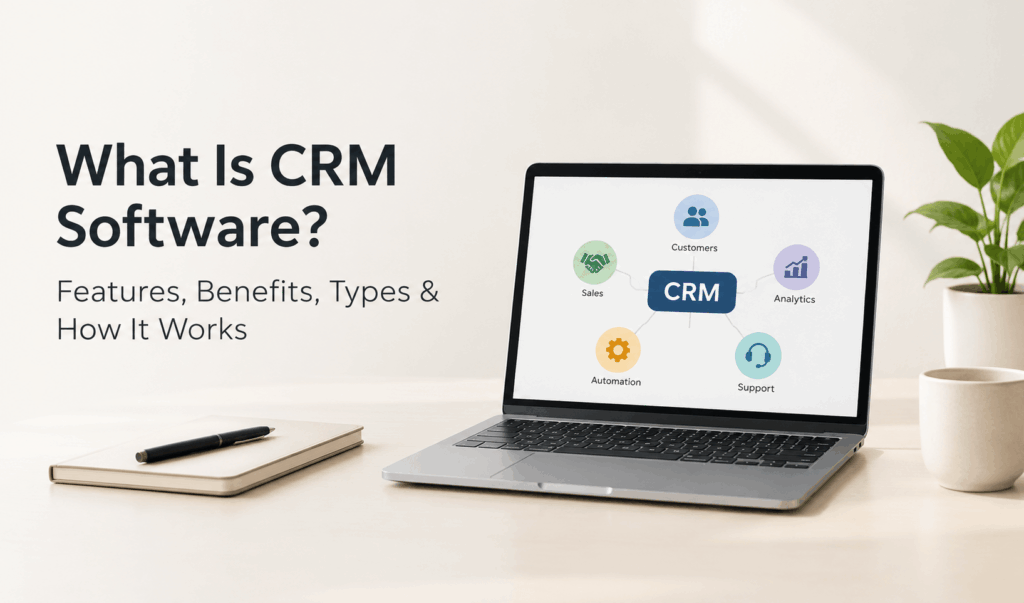
Managing customer information across spreadsheets, emails, phone calls and messaging apps can quickly become difficult as a business grows. Sales teams may miss follow-ups, marketing teams may struggle to identify interested prospects, and customer support agents may not have the complete history of a customer’s interactions.
This is where CRM software becomes useful.
A Customer Relationship Management (CRM) system brings customer information, communication history, sales activities and follow-up tasks into one organized platform. It helps businesses understand their customers, manage potential sales opportunities and deliver more consistent customer experiences.
But what exactly is CRM software? How does it work, what features should a business look for, and when is a custom CRM worth considering?
This guide explains CRM software in practical terms, including its types, features, benefits, implementation process and cost factors, so you can make an informed decision for your business.
Need a CRM that fits your business processes? If your team has outgrown spreadsheets or your existing system cannot support the way you work, explore custom CRM software development services to discuss a solution built around your requirements.
What Is CRM Software?
CRM software, or Customer Relationship Management software, is a business application that helps organizations manage relationships and interactions with current customers and potential customers.
It stores customer details, tracks conversations, manages leads, monitors sales opportunities and helps teams organize follow-ups from a centralized system.
For example, imagine a company receives enquiries through its website, telephone calls, social media and email. Without a CRM, employees may record these enquiries in separate spreadsheets or personal inboxes. This makes it difficult to know who contacted a prospect, whether the sales team followed up, or what the customer discussed previously.
A CRM system brings this information together so authorized employees can access relevant customer records and understand the next action required.
In simple terms: CRM software helps a business organize customer information, manage sales activities, coordinate communication and build stronger customer relationships.
What Does CRM Stand For?
CRM stands for Customer Relationship Management.
It refers to both a business strategy and the technology used to manage customer relationships. The strategy focuses on understanding customer needs and improving interactions throughout the customer journey. CRM software supports that strategy by organizing information and automating selected activities.
How Does CRM Software Work?
A CRM system works by collecting customer information from connected business channels, organizing it into individual records and making that information available to relevant teams.
The exact workflow depends on the CRM platform and its configuration, but most systems follow a similar process.
1. Collect Customer Information
A CRM can capture information from sources such as:
- Website enquiry forms
- Landing pages
- Email conversations
- Phone calls
- Social media enquiries
- Sales representatives
- Customer registration forms
- Connected business applications
For example, when a visitor submits an enquiry form, the CRM can create a new lead record containing the person’s name, contact details, enquiry and submission date.
2. Organize Leads and Customer Records
The system stores customer information in structured records. Depending on the platform, these records may include contact details, company information, previous conversations, purchase history, preferences and assigned employees.
This gives teams a shared view of customer interactions instead of relying on disconnected files.
3. Assign Leads to the Right Employees
Businesses can assign incoming leads to sales representatives based on location, product interest, team responsibility or other predefined rules.
For example, a company may assign enquiries from one region to a particular sales team. This helps establish clear ownership and reduces the possibility of leads being overlooked.
4. Track Conversations and Follow-Ups
Employees can record calls, emails, meetings, notes and follow-up tasks against customer records.
A sales representative can check when a prospect was last contacted, what was discussed and when the next follow-up is due.
5. Monitor Sales Opportunities
CRM software can organize opportunities into sales pipeline stages such as:
- New enquiry
- Contacted
- Qualified
- Meeting scheduled
- Proposal sent
- Negotiation
- Won or lost
Managers can review the pipeline to understand which opportunities are progressing and where deals are getting delayed.
6. Generate Reports and Insights
CRM dashboards and reports can help businesses review lead sources, sales activities, conversion rates, pipeline value, team performance and customer support activity.
These reports make it easier to identify operational gaps and decide where improvements are needed.
Example: A company receives 200 enquiries in a month but notices that many prospects stop responding after the first conversation. By reviewing follow-up activity in its CRM, the sales manager can identify delayed responses and improve the follow-up process.
What Are the Main Features of CRM Software?
CRM features vary between platforms. A small business may need basic contact management and follow-up reminders, while a larger organization may require advanced automation, reporting, integrations and role-based access.
Here are the important CRM features businesses should understand before choosing a system.
1. Contact and Lead Management
Contact and lead management helps businesses store and organize information about prospects and existing customers.
Common capabilities include:
- Centralized customer database
- Lead capture and qualification
- Contact segmentation
- Lead assignment
- Lead status tracking
- Customer interaction history
- Lead scoring
- Follow-up reminders
Why it matters: Employees can access relevant customer information without searching through multiple spreadsheets, email accounts or messaging histories.
2. Sales Pipeline Management
Sales pipeline management allows businesses to track opportunities from the first enquiry to the final purchase decision.
A visual pipeline helps sales representatives understand which prospects need attention and helps managers monitor deal progress.
Useful capabilities include:
- Custom sales stages
- Opportunity tracking
- Deal value management
- Sales activity monitoring
- Sales forecasting
- Win/loss analysis
- Sales performance reports
Why it matters: A structured pipeline gives the sales team a clearer view of pending opportunities and helps managers identify bottlenecks.
3. Marketing Automation
Marketing automation helps businesses manage selected marketing activities using predefined workflows.
Depending on the CRM, these features may include:
- Email campaign management
- Audience segmentation
- Automated lead nurturing
- Campaign tracking
- Lead scoring
- Website form integration
- Marketing performance reporting
For example, when a person downloads a product brochure, a CRM-integrated workflow could assign the lead to a relevant sales representative and schedule a follow-up.
Automation rules should be designed around customer preferences and applicable communication and privacy requirements.
4. Customer Service and Ticket Management
Customer service features help support teams manage complaints, questions and service requests.
Common capabilities include:
- Support ticket creation
- Ticket assignment
- Issue status tracking
- Priority management
- Escalation rules
- Customer communication history
- Service-level tracking
- Customer feedback collection
Why it matters: Support employees can understand previous interactions and track unresolved issues instead of asking customers to explain the same problem repeatedly.
5. Reporting and Analytics
CRM reporting converts business activity into information that managers can use for decision-making.
Useful reports may cover:
- Number of new leads
- Lead source performance
- Lead-to-customer conversion
- Sales pipeline status
- Revenue opportunities
- Sales representative activity
- Customer support response times
- Campaign performance
Businesses should select reports based on their actual goals rather than collecting large amounts of data that nobody uses.
6. Workflow Automation
Workflow automation reduces repetitive manual tasks by executing predefined actions when specific conditions are met.
For example:
- Assign a new lead when an enquiry arrives.
- Create a reminder when a prospect has not been contacted.
- Notify a manager when a high-value opportunity changes stage.
- Update a ticket when a support employee resolves an issue.
- Send an internal notification when a customer requests a callback.
Automation can save time, but poorly designed rules can create duplicate records, unnecessary notifications or incorrect assignments. Every important workflow should be tested before deployment.
7. Email, Calendar and Communication Integration
CRM integrations connect customer records with the communication tools employees already use.
Depending on the platform, integrations may include:
- Business email
- Calendar applications
- Telephony and VoIP systems
- Messaging platforms
- Website forms
- Marketing tools
- Document management systems
The purpose is to reduce disconnected communication and maintain a more complete customer interaction history.
8. Role-Based Access and Data Security
CRM systems store business and customer information, so access management is essential.
Useful controls include:
- User roles and permissions
- Restricted access to sensitive records
- Secure authentication
- Activity logs
- Data backup procedures
- Encryption where supported
- Data retention controls
Businesses should evaluate how the CRM provider or development team handles data storage, access, backups, security updates and applicable privacy obligations.
What Are the Different Types of CRM Software?
CRM software can be categorized according to the business functions it supports. Understanding these categories helps organizations select a system that addresses their actual requirements.
|
Type of CRM |
Main purpose |
Common use |
|
Operational CRM |
Automates customer-facing business processes |
Sales, marketing and customer service |
|
Analytical CRM |
Analyzes customer and business data |
Reporting, segmentation and forecasting |
|
Collaborative CRM |
Helps teams share customer information |
Coordination between sales, marketing and support |
|
Strategic CRM |
Supports long-term customer relationship planning |
Customer retention and relationship development |
1. Operational CRM
Operational CRM focuses on improving everyday customer-facing activities.
It commonly supports sales automation, marketing workflows, lead management and customer service processes.
Example: A real estate company uses operational CRM to capture property enquiries, assign them to agents, schedule site visits and track follow-ups.
2. Analytical CRM
Analytical CRM focuses on understanding customer information and business performance.
It helps organizations identify patterns in customer behaviour, evaluate sales performance and understand which channels generate valuable enquiries.
Example: An online retailer analyses customer purchase history to identify frequently purchased product categories and improve its marketing campaigns.
3. Collaborative CRM
Collaborative CRM helps different departments access and share relevant customer information.
For example, a sales representative may record a customer’s requirements, while the support team can view that history when responding to a service request.
This reduces information gaps between departments.
4. Strategic CRM
Strategic CRM focuses on building long-term customer relationships. It helps organizations understand customer expectations, improve engagement and develop retention strategies.
It is less about one individual software feature and more about using customer knowledge to guide business decisions.
Important: These categories are not always separate products. Many modern CRM platforms combine operational, analytical and collaborative capabilities.
What Are the Benefits of CRM Software for Businesses?
CRM software can improve business operations when employees use it consistently and the system matches the organization’s workflow.
Here are some practical benefits.
1. Centralized Customer Information
Customer details are stored in one organized system instead of being scattered across different spreadsheets, inboxes and personal files.
This helps authorized employees find relevant information more easily.
2. Better Lead Management
CRM software helps businesses capture, qualify, assign and track enquiries.
Sales managers can identify unassigned leads, review pending follow-ups and understand where prospects are in the sales process.
3. More Consistent Follow-Ups
Follow-up reminders and workflow automation help employees manage their next actions.
This is especially useful for businesses with long sales cycles, where prospects may need multiple conversations before making a decision.
4. Improved Team Coordination
Sales, marketing and customer support teams can work with shared customer information.
When access is configured properly, employees can understand previous interactions and avoid unnecessary repetition.
5. More Informed Business Decisions
CRM reports help managers review sales activities, lead sources, customer interactions and operational performance.
These insights can support decisions about resource allocation, sales processes and customer engagement.
6. More Organized Customer Support
Ticket management and customer history help support teams track issues from creation to resolution.
Managers can also identify recurring problems and improve service processes.
7. Better Business Process Visibility
A CRM can make it easier to identify where leads are delayed, which sales stages create bottlenecks and which tasks require manual intervention.
The result depends on the accuracy of the information entered and the quality of the workflows configured.
CRM Software Examples: How Different Businesses Use It
CRM requirements differ by industry. A software company may focus on lead qualification and sales pipelines, while a healthcare organization may need appointment enquiries and communication tracking.
Here are some practical examples.
|
Industry |
How CRM can be used |
Useful capabilities |
|
Real estate |
Manage property enquiries and buyer follow-ups |
Lead assignment, property interest tracking, reminders |
|
Education |
Manage student admission enquiries |
Enquiry forms, counselling follow-ups, status tracking |
|
Healthcare |
Coordinate patient enquiries and service communication |
Contact records, appointment enquiries, communication history |
|
E-commerce |
Organize customer interactions and service requests |
Customer profiles, order-related support, segmentation |
|
Financial services |
Track prospects and client communication |
Lead qualification, task reminders, access controls |
|
B2B services |
Manage long sales cycles and proposals |
Sales pipeline, meeting records, deal tracking |
Example: CRM for a Real Estate Business
Imagine a real estate agency receives enquiries from property portals, its website, telephone calls and social media.
Without a centralized system, different agents may handle the same prospect or forget to follow up.
A CRM can help the agency:
- Capture enquiries from connected channels.
- Record the customer’s preferred location and property requirements.
- Assign the enquiry to an appropriate agent.
- Schedule calls and property visits.
- Track the negotiation and deal stage.
- Record the final outcome.
The agency can then review its pipeline to understand how many prospects are active and which enquiries need attention.
CRM vs ERP: What Is the Difference?
CRM and ERP software both help businesses manage operations, but they address different business needs.
CRM primarily focuses on customer relationships, sales, marketing and service. ERP focuses on coordinating internal business resources and processes, such as finance, inventory, procurement and operations.
|
Comparison |
CRM Software |
ERP Software |
|
Primary purpose |
Manage customer relationships |
Manage business resources and operations |
|
Main users |
Sales, marketing and support teams |
Finance, HR, procurement and operations teams |
|
Core functions |
Lead management, sales pipeline, customer communication |
Accounting, inventory, purchasing, planning |
|
Main data |
Customer records and interactions |
Financial, operational and resource data |
|
Business objective |
Improve customer engagement and sales processes |
Improve internal coordination and resource management |
Should Your Business Choose CRM or ERP?
Choose CRM if your main challenge is managing leads, tracking sales opportunities, organizing customer communication or improving customer support.
Choose ERP if your business needs to coordinate internal functions such as finance, inventory, procurement, production or resource planning.
Some organizations need both systems. In that case, integration can help relevant customer and operational information move between platforms.
If your business is evaluating broader operational software, explore ERP software development services to understand how a customized ERP solution may support internal processes.
CRM Software vs Spreadsheets: Which Is Better?
Many small businesses begin with spreadsheets because they are familiar and inexpensive. However, spreadsheets can become difficult to maintain when multiple employees manage large numbers of customers and opportunities.
|
Area |
Spreadsheets |
CRM Software |
|
Customer records |
Manually maintained |
Centralized customer database |
|
Follow-ups |
Manual reminders |
Task and reminder automation |
|
Lead assignment |
Manual coordination |
Configurable assignment rules |
|
Sales pipeline |
Requires manual updates |
Dedicated pipeline tracking |
|
Team collaboration |
Depends on file sharing and permissions |
Shared records with role-based access |
|
Reporting |
Often requires manual preparation |
Dashboards and configurable reports |
|
Integrations |
May require additional tools |
Can connect with supported business applications |
When are spreadsheets enough?
A spreadsheet may be sufficient for a small team with limited customer records and a simple sales process.
When should you consider CRM software?
Consider a CRM when multiple employees manage customer interactions, follow-ups are being missed, records are duplicated, or managers cannot easily understand the sales pipeline.
The right decision depends on operational complexity, not simply the size of the company.
How to Choose the Right CRM Software for Your Business
Choosing CRM software requires more than comparing feature lists. The system should support the way your business captures leads, communicates with customers and manages internal responsibilities.
Use the following steps before making a decision.
1. Identify Your Business Requirements
Start by documenting the problems you want the CRM to solve.
Ask questions such as:
- Are leads coming from multiple channels?
- Do employees struggle to track follow-ups?
- Do managers need better sales visibility?
- Does the support team need customer interaction history?
- Are existing tools creating duplicate data?
- Do you need custom reports or workflows?
Create a list of essential requirements before evaluating platforms.
2. Decide Which CRM Features You Actually Need
Avoid paying for features your team will not use.
For example, a small consultancy may need contact management, lead assignment, pipeline tracking and reminders. A larger sales organization may require advanced reporting, multiple user roles, automation and third-party integrations.
Separate essential features from optional ones.
3. Check Integration Requirements
Identify the applications your business already uses.
Your CRM may need to connect with:
- Website enquiry forms
- Business email
- Accounting software
- Telephony systems
- E-commerce platforms
- Marketing automation tools
- Internal business applications
Confirm that the required integrations are supported and understand whether additional development is necessary.
4. Evaluate Ease of Use
A CRM is useful only when employees can work with it consistently.
Review the interface, navigation, mobile experience, training requirements and everyday workflows. If the system is too complicated, employees may avoid updating records.
5. Review Security and Access Controls
Check how the platform manages authentication, permissions, backups, data access and security updates.
Consider which employees should be able to view, edit, export or delete customer records.
6. Compare Total Cost of Ownership
Do not compare CRM platforms only by their advertised subscription prices.
Consider the total cost of using the system, including:
- User subscriptions
- Setup and configuration
- Data migration
- Customization
- Third-party integrations
- Employee training
- Maintenance and support
- Future upgrades
7. Test the System Before Full Adoption
Use a trial, demonstration or pilot project to test real business scenarios.
For example, capture a website lead, assign it to an employee, schedule a follow-up, move it through the sales pipeline and generate a report.
This helps identify missing functionality before the entire organization adopts the system.
Ready-Made CRM vs Custom CRM Software: Which Should You Choose?
A ready-made CRM is a prebuilt platform that businesses can configure for their requirements. A custom CRM is developed around an organization’s specific workflows, integrations and operational needs.
Neither option is automatically better. The right choice depends on how closely available software matches your business processes.
|
Factor |
Ready-Made CRM |
Custom CRM |
|
Initial setup |
Usually faster |
Requires planning and development |
|
Features |
Predefined features with configuration options |
Features designed around requirements |
|
Custom workflows |
Limited by platform capabilities |
Can be tailored to business processes |
|
Integrations |
Depends on available connectors and APIs |
Can be developed for required systems |
|
Pricing |
Often subscription-based |
Project and ongoing maintenance costs |
|
Ownership and control |
Governed by provider terms |
Depends on the agreed source code, hosting and licensing arrangement |
|
Scalability |
Depends on provider plans and platform limits |
Can be planned around expected business growth |
When Should You Choose a Ready-Made CRM?
A ready-made CRM may be suitable when:
- Your business follows standard sales processes.
- The available features meet your requirements.
- You need to get started quickly.
- Your team prefers a subscription-based platform.
- Required integrations are already supported.
When Should You Consider Custom CRM Development?
Custom CRM development may be worth evaluating when:
- Your business has unique sales or operational workflows.
- Existing CRM platforms cannot support essential requirements.
- You need specialized integrations with internal software.
- You require customized dashboards, roles or approval processes.
- Your business needs greater control over system functionality and deployment.
For organizations with specialized requirements, custom software development can help address broader business processes beyond standard CRM functionality.
Practical advice: Do not build a custom CRM simply because customization is possible. First compare your requirements with existing platforms. Custom development makes sense when the business value of a tailored system justifies its development and maintenance costs.
How Much Does CRM Software Cost?
There is no single price for CRM software. The total cost depends on the type of platform, number of users, required features, integrations, customization and ongoing support.
The main cost factors include:
|
Cost factor |
How it affects the budget |
|
Number of users |
More users may increase subscription or licensing costs |
|
Feature requirements |
Advanced automation, analytics and workflows can add complexity |
|
Customization |
Tailored modules and business rules require additional work |
|
Integrations |
Connecting external applications may involve setup or development |
|
Data migration |
Moving existing customer records requires planning and validation |
|
Hosting and infrastructure |
Deployment choices can affect recurring expenses |
|
Training |
Employees may need onboarding and ongoing assistance |
|
Maintenance |
Updates, monitoring, bug fixes and technical support create ongoing costs |
Subscription-Based CRM Pricing
Many ready-made CRM platforms charge recurring fees based on the number of users, subscription tier or available features.
This can make initial adoption easier, but businesses should review the long-term subscription cost and any additional charges for integrations, storage or advanced functionality.
Custom CRM Development Cost
Custom CRM development is usually estimated after understanding the project scope.
A basic CRM with contact records and lead tracking has different requirements from a complex system with multiple departments, automated workflows, custom reporting, integrations and advanced permissions.
Before requesting a development estimate, prepare a feature list, user roles, workflow examples and integration requirements.
This makes it easier to define the project scope and compare proposals accurately.
What Is the CRM Software Implementation Process?
Selecting the software is only one part of a successful CRM project. The system must also be configured, tested and adopted by employees.
A structured implementation process typically includes the following stages.
Step 1: Requirement Analysis
Identify business objectives, existing processes, user roles, customer data sources and operational challenges.
The purpose is to establish what the CRM must achieve before development or configuration begins.
Step 2: CRM Planning and System Design
Plan the customer database, sales pipeline, permissions, workflows, dashboards and integrations.
This stage should also define how customer information will be organized and which employees can access it.
Step 3: Configuration or Development
Configure the selected CRM platform or develop the required custom functionality.
This may include lead forms, contact records, sales stages, reminders, reports and automation rules.
Step 4: Data Migration and Integration
Move relevant customer records from spreadsheets or existing systems after cleaning and validating the data.
Connect required applications and test whether information is transferred correctly.
Step 5: Testing and Quality Assurance
Test important business workflows before launch.
Check record creation, lead assignment, permissions, notifications, reports, integrations and data accuracy.
Step 6: Employee Training and Launch
Train employees on the tasks they will perform in the CRM.
Introduce the system in a controlled manner, provide guidance and collect feedback during the initial adoption period.
Step 7: Monitoring and Continuous Improvement
Review usage, data quality, workflow performance and employee feedback after launch.
Update the system as business requirements change.
Remember: CRM implementation is not complete simply because the software is live. Employees must use it correctly, customer records must remain accurate, and workflows should be reviewed regularly.
Common CRM Implementation Mistakes to Avoid
A CRM project can fail to deliver value when businesses focus only on software features and ignore their actual processes.
Watch out for these common mistakes.
1. Choosing Software Without Clear Requirements
Buying a CRM before understanding business needs can result in unnecessary features and poor adoption.
Better approach: Document your workflows and essential requirements before comparing platforms.
2. Migrating Unclean Customer Data
Duplicate, outdated or incomplete records can reduce trust in the CRM.
Better approach: Clean and validate customer data before migration.
3. Automating Every Process
Too many automated notifications and complicated rules can make the system difficult to use.
Better approach: Automate repetitive tasks that have clear business value.
4. Ignoring Employee Training
Employees may continue using spreadsheets or personal records if they do not understand the CRM.
Better approach: Provide role-specific training and clear usage guidelines.
5. Not Defining User Permissions
Giving every employee unrestricted access can expose information unnecessarily.
Better approach: Establish roles and permissions based on job responsibilities.
6. Failing to Review CRM Performance
A CRM should evolve as the business changes.
Better approach: Review adoption, data accuracy, workflow effectiveness and reporting needs at regular intervals.
Frequently Asked Questions About CRM Software
1. What is CRM software in simple words?
CRM software is a tool that helps businesses manage customer information, track sales leads, organize conversations and handle follow-ups from one centralized system.
2. What does CRM stand for?
CRM stands for Customer Relationship Management. It refers to the business approach and technology used to manage relationships and interactions with customers and prospects.
3. What are the main functions of CRM software?
The main functions include contact management, lead tracking, sales pipeline management, marketing automation, customer support, reporting, workflow automation and business application integration.
4. What are the four types of CRM?
The commonly discussed categories are operational CRM, analytical CRM, collaborative CRM and strategic CRM. They focus on managing customer-facing activities, analyzing customer data, sharing information across teams and developing long-term customer relationships.
5. Is CRM software suitable for small businesses?
Yes. Small businesses can use CRM software to organize customer records, manage enquiries, schedule follow-ups and monitor sales opportunities. The best choice is a system that matches their requirements and budget without unnecessary complexity.
6. What is the difference between CRM and ERP?
CRM software focuses on customer relationships, sales, marketing and service. ERP software manages broader internal operations such as finance, inventory, procurement and business resources. Some organizations use both systems together.
7. Can CRM software be customized?
Yes. Depending on the platform, businesses may customize fields, dashboards, workflows, permissions and integrations. A custom CRM can be developed when existing platforms cannot support important business requirements.
8. How long does CRM implementation take?
The timeline depends on the number of users, data migration requirements, integrations, workflow complexity and customization. A basic configuration may take less time than a complex implementation involving multiple departments and connected systems. A realistic timeline should be established after requirement analysis.
9. Is CRM software secure?
CRM security depends on the platform, configuration and the organization’s security practices. Businesses should evaluate authentication, access permissions, encryption, backups, monitoring and data protection requirements before implementation.
10. How do I know if my business needs CRM software?
You may need CRM software if customer information is scattered across multiple tools, employees miss follow-ups, leads are difficult to track, sales managers lack pipeline visibility or support teams cannot access interaction history easily.
11. What is the difference between cloud CRM and on-premises CRM?
Cloud CRM is hosted by a provider or cloud infrastructure and accessed over the internet. On-premises CRM is deployed on infrastructure managed by the organization. The right option depends on security requirements, IT resources, integration needs, cost and operational preferences.
12. Can CRM software integrate with existing business applications?
Many CRM platforms support integrations through built-in connectors, APIs or custom development. Common integration requirements include email, calendars, websites, accounting applications, telephony and e-commerce systems. Compatibility should be checked before selecting a platform.
Build a CRM That Works Around Your Business
Customer relationships become harder to manage as enquiries, sales activities and support requests increase. CRM software helps bring these activities into a more organized process by centralizing customer information, tracking opportunities and supporting communication between teams.
However, the right CRM is not necessarily the platform with the largest feature list. It is the system that supports your actual workflows, integrates with your existing tools and can be maintained as your business grows.
If ready-made CRM platforms do not meet your operational requirements, a customized solution may be worth exploring.
Digital Brain Media provides CRM software development services, including solutions designed around customer management, lead tracking, sales opportunities, marketing automation, reporting, integrations and customer support workflows.
Explore CRM Software Development Services or contact the team to discuss your business requirements and determine the right approach for your CRM project.
Recent post


Book your consultation now
Related Articles